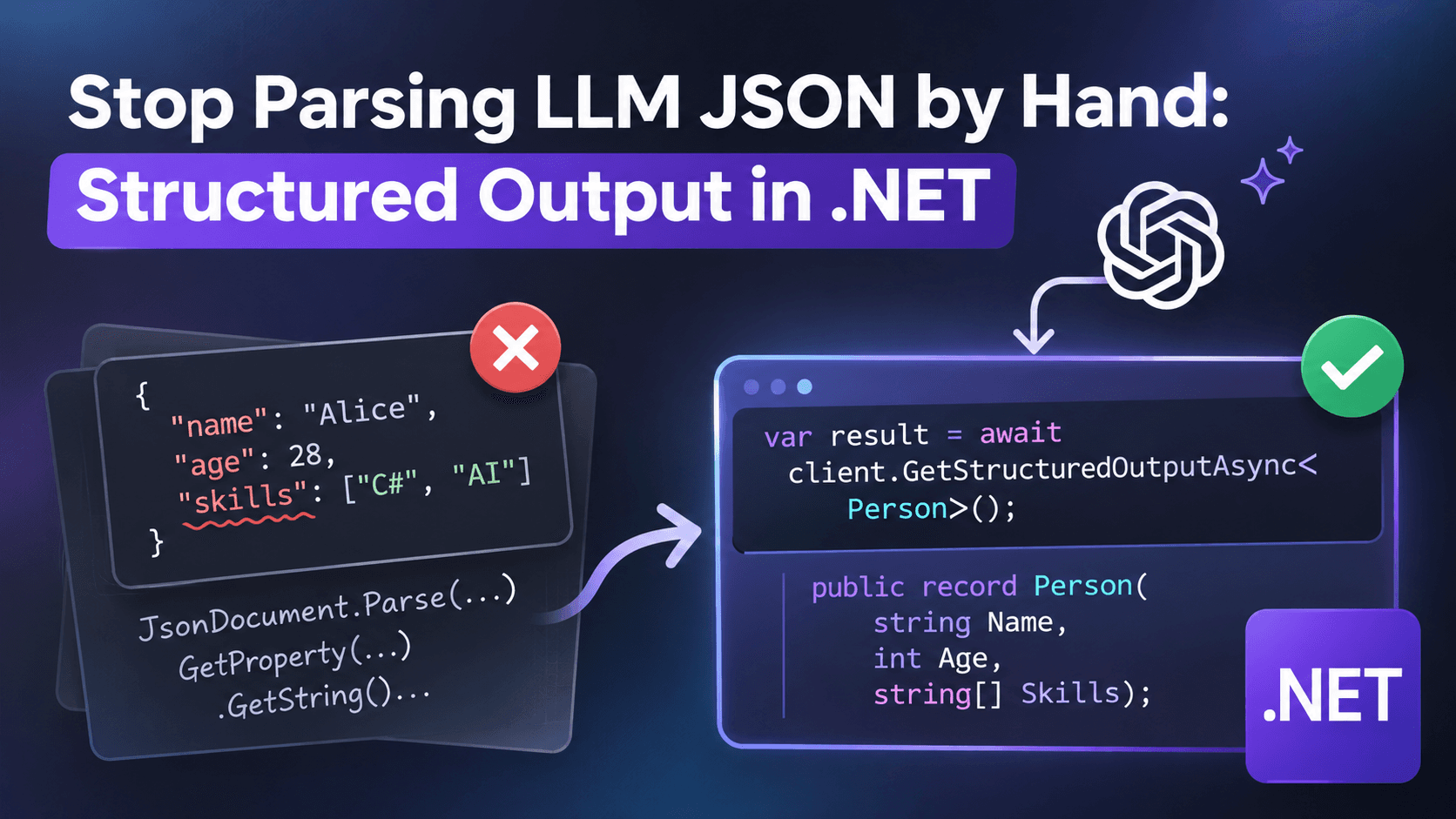
Most LLM code I review has the same function somewhere in it. It takes the model's text, strips the ```json fences, maybe trims a "Sure! Here is the data:" line from the top, and calls JsonSerializer.Deserialize inside a try/catch. It works on the developer's machine. Then a model update changes the wording slightly and the catch block starts eating real data.
You don't need that function anymore. Microsoft.Extensions.AI has structured output built in, and it works the same whether you're talking to Ollama on your laptop or a hosted model in production.
The problem
Say you're building a job board that pulls postings from different sources and normalizes them. One posting says "Hybrid, 2 days in Amsterdam office", another says "Remote (EU only)", a third says nothing at all about location. I want every one of them to end up as the same C# object.
Ask for a type, not for text
Here's the model I want back:
public enum WorkModel { Unknown, Onsite, Hybrid, Remote }

public record JobPosting(
    string Title,
    string Company,
    string? City,
    string? Country,
    WorkModel WorkModel,
    bool? VisaSponsorship,
    string[] Skills);
And here's the whole call, using a local model through OllamaSharp:
using Microsoft.Extensions.AI;
using OllamaSharp;

IChatClient client = new OllamaApiClient(new Uri("http://localhost:11434"), "llama3.2");

var raw = await File.ReadAllTextAsync("posting.txt");

ChatResponse<JobPosting> response = await client.GetResponseAsync<JobPosting>(
    $"""
    Extract the job posting below.
    If the text does not state a value, use null. Do not infer visa sponsorship.

    {raw}
    """);

if (response.TryGetResult(out var job))
{
    Console.WriteLine($"{job.Title} at {job.Company} ({job.WorkModel})");
}
else
{
    Console.WriteLine("Model output didn't match the schema:");
    Console.WriteLine(response.Text);
}
GetResponseAsync
Four things I learned the hard way
1. Use TryGetResult, not Result. response.Result throws if the output can't be parsed. That's fine in a demo. In a pipeline that processes thousands of postings, one weird answer shouldn't take down the batch. TryGetResult lets you log the raw text (response.Text) and move on. Those logged failures become your test cases later.
2. Nullable means "I'm allowed not to know". Notice that City, Country and VisaSponsorship are nullable. That isn't just a C# detail. If the property can't be null, the model has to put something there, and it will. Usually a confident guess. Making the field nullable, and saying so in the prompt, gives the model a legal way to say "the text doesn't tell me". For visa sponsorship this matters a lot: a wrong "true" sends people to apply for jobs they can't take.
3. A valid schema is not a correct answer. The JSON can match your type perfectly and still be wrong. The model might set WorkModel to Remote because the posting mentions "remote-friendly culture" while the job is clearly onsite. Schema validation catches broken output; it doesn't catch bad judgment. For that you need a small set of real postings with known answers and a check you run on every prompt or model change.
4. Native schema support depends on the model. GetResponseAsyncuseNativeJsonSchema parameter. When the provider supports native structured output, passing true makes results more reliable. When it doesn't, it can fail outright. With small local models, test both ways on your own data before deciding. Don't trust a benchmark someone ran on a different model.
Why this matters beyond parsing
The real win isn't fewer lines of code. Your LLM call now has a contract. It returns a JobPosting or it reports that it couldn't. Everything downstream (the database, the search index, the API) works with typed data, and the uncertain parts are explicit nulls instead of hidden guesses.
That's the difference between an AI feature you demo and one you can actually run.
Want the full build? Build MCP Servers in C#: Connect AI to Your .NET Apps shows you how to give AI access to your own .NET apps with an MCP server. Or get the weekly tips by email: /newsletter.