
VIDEO COURSE
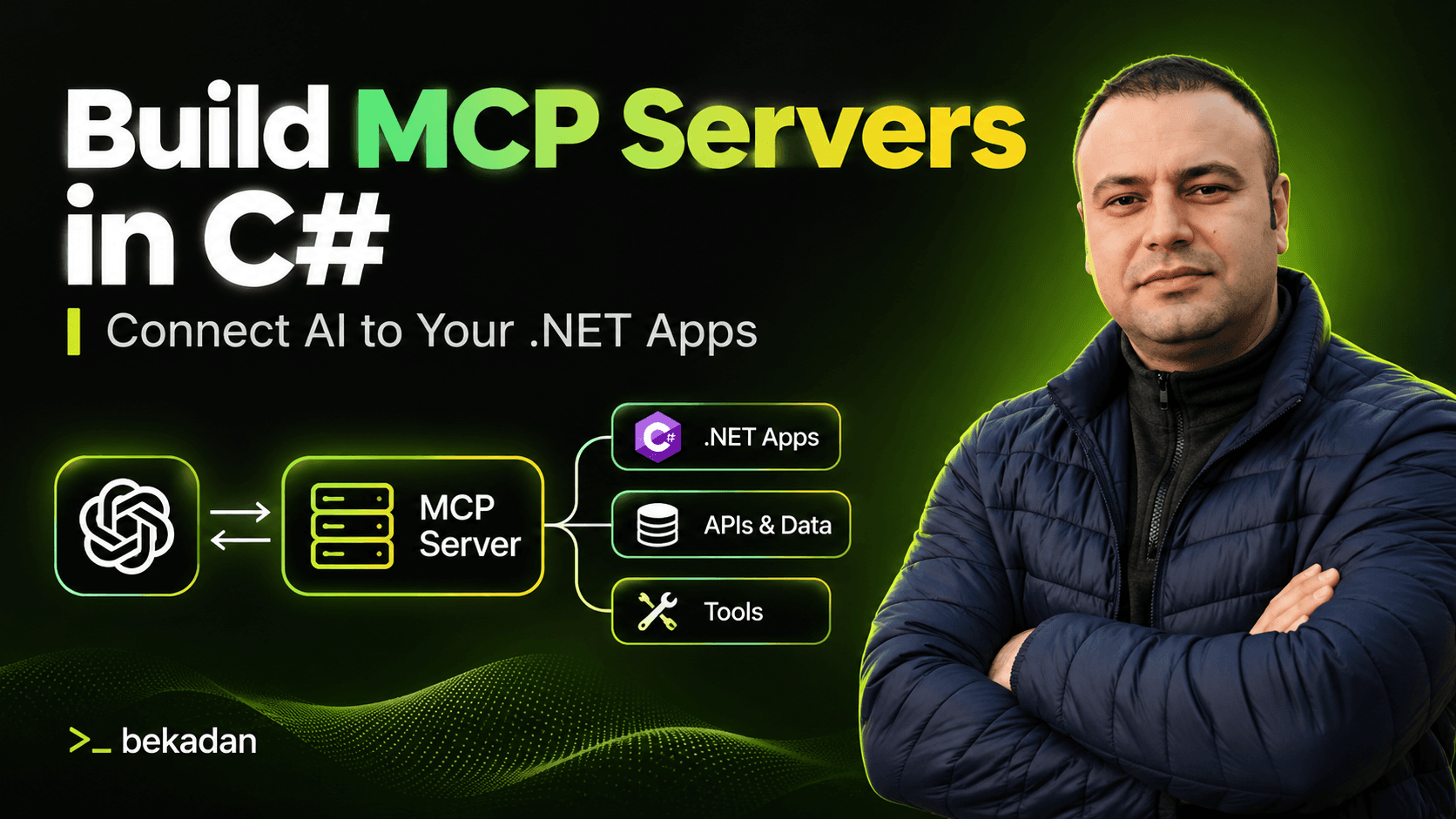
Build MCP Servers in C#: Connect AI to Your .NET Apps
Take the .NET app you already have and let AI use it safely: tools on your real services, every action audited, scoped by role, tested, traced and published.
By the end, you can put an MCP server in front of any ASP.NET Core app, connect it to VS Code, Claude Desktop or your own C# client, and say exactly what the AI is allowed to do, as whom.
The problem this course solves
A hello-world MCP server takes ten minutes. Then you point it at the app your company actually runs. Does the tool skip your business rules because it talks to the DbContext? Why does the model guess a ticket number instead of searching? Who did the AI act as when it closed 20 tickets? Can a customer's ticket text tell the assistant what to do? What breaks when a second instance starts?
This course answers those questions on a real .NET app, with Inspector, tests and traces instead of hope.
What makes this course different
01
You connect an app that already works.
SupportDesk has services, business rules, 500 seeded tickets and a web UI. The MCP layer only calls those services. It never touches the DbContext.
02
Every line explained.
Each code video says what a line does and why it comes before or after the others, and says so when the order does not matter.
03
You watch the AI change real data.
The Activity page shows every write the AI makes, live, with the user and the client that made it.
04
Built for the current spec.
MCP 2026-07-28 removed sessions and the initialize handshake. Most tutorials still teach session code that no longer applies. This course uses SDK 2.x and stateless HTTP from the start.
What you will learn
- Write tool names, descriptions and parameters the model calls correctly, and return errors it can recover from
- Put MCP on top of your existing services, with search, paging, validation and a dry run before every bulk action
- Expose resources and prompts users pick in the host: an SLA policy, ticket documents, a triage workflow
- Move from stdio to stateless Streamable HTTP, Docker and two instances behind nginx
- Protect the server with JWT bearer tokens and per-tool scopes, and limit what prompt injection in customer data can do
- Build your own C# client on a local Ollama model with tool approval, then test, trace and publish the server to NuGet and the MCP Registry
Curriculum
- Waitlist open
- 12 sections
- 47 videos + 1 text lesson
- ~10 h of video
Lessons 1.1 and 1.3 and all of Section 2 are free previews (~29 min).
SECTION 01Free preview
Welcome & Setup
Get SupportDesk running and see where you are going.
After this section you can
- Run SupportDesk with Docker and .NET 10
- Reset to the same data as the videos at any time
- See what the finished server does in VS Code
Lessons
- 1.1What You'll BuildFree preview~4 min
- 1.2Tools You Need~3 min
- 1.3Running the SupportDesk StarterFree preview~5 min
- 1.4TextSetup Troubleshootingtext
SECTION 02Free preview
MCP Fundamentals
What MCP is, who talks to whom, and what changed this year.
After this section you can
- Explain the problem MCP solves and how it differs from function calling
- Tell hosts, clients and servers apart, and tools, resources and prompts by who triggers them
- Choose between stdio and Streamable HTTP
- Spot session-based code from older tutorials that no longer applies
Lessons
- 2.1Why MCP ExistsFree preview~4 min
- 2.2Hosts, Clients and ServersFree preview~4 min
- 2.3Tools, Resources and PromptsFree preview~5 min
- 2.4Transports: stdio and Streamable HTTPFree preview~3 min
- 2.5What Changed in 2026-07-28Free preview~4 min
SECTION 03
Your First MCP Server
From an empty project to a tool three hosts can call.
After this section you can
- Create an MCP server with the C# SDK and the Generic Host
- Write a tool on top of an existing service
- Test every tool in MCP Inspector before a model sees it
- Connect the same server to VS Code and Claude Desktop without changing C#
- Avoid the one Console.WriteLine that breaks a stdio server
Lessons
- 3.1Creating the MCP Project~17 min
- 3.2Your First Tool: get_ticket~14 min
- 3.3Testing with MCP Inspector~14 min
- 3.4Connecting to VS Code~15 min
- 3.5Connecting to Claude Desktop~9 min
SECTION 04
Tools in Depth
The model only sees your names and descriptions. Make them count.
After this section you can
- Write descriptions the model reads and follows
- Use dependency injection and know which client called each tool
- Validate arguments the schema does not protect
- Turn business errors into results the model can recover from, without leaking internals
- Return structured output, and use cancellation, progress and annotations
Lessons
- 4.1Descriptions the Model Actually Reads~16 min
- 4.2Dependency Injection and the Current Actor~17 min
- 4.3Parameters and Validation: get_customer~14 min
- 4.4Errors the Model Can Recover From~14 min
- 4.5Structured Output: get_ticket_stats~15 min
- 4.6Cancellation, Progress and Annotations~12 min
SECTION 05
Connecting Your Existing App
Tools are thin. Services do the work.
After this section you can
- Keep business rules in one place by calling services, never the DbContext
- Turn 11 REST endpoints into 10 tools designed for a model
- Add search with filters and paging that a model can use well
- Add write tools with the right annotations and server-side rules
- Make bulk actions preview first and act only on a confirmed count
Lessons
- 5.1Why Tools Call Your Services~5 min
- 5.2Designing a Tool Surface for an LLM~5 min
- 5.3search_tickets: Filters and Pagination~25 min
- 5.4First Writes: add_comment and update_ticket_status~19 min
- 5.5assign_ticket and create_ticket~19 min
- 5.6Confirm Before You Act: close_stale_tickets~18 min
SECTION 06
Resources & Prompts
Not everything should be a tool.
After this section you can
- Publish documents users attach, generated from code so they never drift
- Expose tickets and customers as resource templates
- Ship prompts that guide the model through a workflow
- Choose tool, resource or prompt by who triggers it
Lessons
- 6.1Static Resources: SLA Policy and Escalation Guide~16 min
- 6.2Resource Templates: Tickets and Customers~16 min
- 6.3Prompts: triage_ticket~16 min
- 6.4draft_customer_reply and weekly_summary~14 min
SECTION 07
HTTP Transport & Deployment
One server for everyone. Any instance answers any request.
After this section you can
- Serve MCP over Streamable HTTP and keep stdio working
- Read a raw stateless MCP request with curl
- Connect VS Code and Inspector to the same running server
- Run the server in Docker, as two instances behind nginx, and stop one mid-conversation
Lessons
- 7.1Moving to Streamable HTTP~17 min
- 7.2Stateless by Default~10 min
- 7.3Connecting Clients over HTTP~8 min
- 7.4Dockerizing the MCP Server~15 min
- 7.5Two Instances Behind a Load Balancer~13 min
SECTION 08
Security
Prompts ask. Servers decide.
After this section you can
- Require JWT bearer tokens on the HTTP endpoint
- Map roles to scopes and authorize each tool
- Record the real user behind every AI action
- Limit what prompt injection in customer data can do
- Publish protected resource metadata for a real identity provider
Lessons
- 8.1JWT Bearer with dotnet user-jwts~17 min
- 8.2Roles, Scopes and Per-Tool Authorization~17 min
- 8.3Prompt Injection: The SD-1337 Ticket~10 min
- 8.4Going to Production: Real Identity Providers~12 min
SECTION 09
Building an MCP Client
Your own host, on a local model.
After this section you can
- Connect to an MCP server over stdio or HTTP with McpClient
- Build a chat app with Microsoft.Extensions.AI and Ollama that uses the server's tools
- Ask the user before any tool that changes data
Lessons
- 9.1McpClient: Listing and Calling Tools~14 min
- 9.2A Local Chat App with Ollama~15 min
- 9.3Tool Approval in Your Own Host~13 min
SECTION 10
Production Readiness
Tested, traced and installable with one command.
After this section you can
- Test tools in-process with a real MCP client, and snapshot what the model sees
- Follow one question from chat to model to tool to SQL in a single trace
- Pack the server as a .NET tool and publish it to NuGet and the MCP Registry
Lessons
- 10.1Testing Your Tools~18 min
- 10.2Observability with OpenTelemetry~20 min
- 10.3Packaging and Publishing~19 min
SECTION 11
Beyond the Basics
Work that takes minutes, and answers that need a screen.
After this section you can
- Run a slow export as a Task with polling and a CSV result
- Show an interactive ticket card inside the host with MCP Apps, with a text fallback
Lessons
- 11.1Long-Running Work with Tasks: export_ticket_report~26 min
- 11.2MCP Apps: UI Inside the Host~19 min
SECTION 12
Wrap-Up
What you built, and how to do the same in your own app.
Lessons
- 12.1What You Built and Where to Go Next~5 min
The project: SupportDesk
SupportDesk is the help desk of Brightline, a made-up SaaS company: tickets, customers, products, agents, SLAs and an activity log. It is built with .NET 10, ASP.NET Core, EF Core 10 and PostgreSQL 17, and starts with 500 seeded tickets, the same data you see in the videos. You get it running in the first section. The course adds a separate SupportDesk.Mcp project that calls the same application services as the web app, so the AI follows the same rules people do.
- Tool · read
get_ticketOne ticket with its comments; also shown as an interactive card in hosts that support MCP Apps - Tool · read
get_customerA customer by email or id, with recent tickets - Tool · read
search_ticketsFilters by keyword, product, agent, status, priority and SLA, paged - Tool · read
get_ticket_statsTicket counts for the last N days, grouped by product, priority or status - Tool · write
add_commentAdds a public reply or an internal note - Tool · write
update_ticket_statusChanges status, following the same rules as the web app - Tool · write
assign_ticketAssigns an agent by name or email, or unassigns - Tool · write
create_ticketOpens a ticket; SLA and number are set by the server - Tool · bulk
close_stale_ticketsPreviews first, closes only a confirmed count, admins only - Tool · long-running
export_ticket_reportBuilds a CSV report as a Task with progress, admins only - Resource
supportdesk://kb/sla-policy, supportdesk://kb/escalation-guideDocuments the user attaches as context - Resource template
supportdesk://tickets/{ticketNumber}, supportdesk://customers/{customerId}Tickets and customers as documents - Prompt
triage_ticket, draft_customer_reply, weekly_summaryWorkflows the user starts from the host
You connect it to VS Code with GitHub Copilot, Claude Desktop, MCP Inspector and SupportDesk Chat, a C# client you build yourself on a local model.
What you get
- 47 videos (~10 h) in plain English with English subtitles, plus a setup troubleshooting guide
- SupportDesk's full source code, with a git tag at the end of every section and a commit link under every video
- The finished MCP server: 10 tools, 4 resources, 3 prompts and an MCP App, with Docker, nginx, tests and OpenTelemetry
- SupportDesk Chat, your own C# MCP client with tool approval on a local model
- README guides for connecting VS Code, Claude Desktop and Inspector, running over HTTP and Docker, and packaging and publishing
Requirements
- C#, ASP.NET Core and EF Core experience
- .NET 10 SDK, Docker Desktop, VS Code with C# Dev Kit, and Node.js 22.19+ for MCP Inspector
- Ollama for Section 9, with a model that supports tool calling such as llama3.1:8b. A GPU is optional; it makes answers faster.
- No paid services or API keys. GitHub Copilot Free and the free Claude Desktop are enough.
Who this course is for
FOR YOU IF YOU ARE
- .NET developers who want AI assistants to use their app without bypassing its business rules
- Team leads who must answer "what can the AI do in our system, as whom, and can we see it?"
- Developers who built a demo MCP server and now need one that holds up with real users
NOT FOR
- Developers new to C#, ASP.NET Core or EF Core
- Anyone looking for RAG, agent orchestration or evals (those are in AI Engineering with .NET)
ABOUT
Taught by Burak Emre Kadan
I've spent 12 years building .NET backends — most recently leading teams that design distributed systems on Azure. My day-to-day has been the unglamorous parts that keep production running: retries and circuit breakers, idempotent consumers, outbox patterns, tracing with OpenTelemetry, and decisions written down as ADRs.
That's the lens I bring to AI. An LLM call is just another unreliable dependency — it needs the same engineering discipline as everything else in your system. This course teaches exactly that, in C#.
- Experience
- 12 years in C# and .NET
- Focus
- Distributed systems, reliability, observability
- Format
- A self-paced video course with working source code
FAQ
Do I need a paid AI subscription?
No. VS Code with GitHub Copilot Free, the free Claude Desktop, MCP Inspector and a local Ollama model cover every demo.
Do I need a GPU?
No. Only Section 9 runs a local model, and it works on a CPU, just slower.
Do I need a cloud account?
No. Everything runs on your machine with Docker. Section 8 shows what changes for a real identity provider.
Is this up to date with the latest MCP spec?
Yes. It uses MCP 2026-07-28 and the official C# SDK 2.x. Section 2 shows which session-based code from older tutorials no longer applies.
Why aren't sampling, roots and elicitation covered?
In SDK 2.x they are obsolete or limited on stateless HTTP. The course teaches what works on the current spec.
Will my data match the videos?
Yes. The seed data is fixed. Run the app with --reset-db at the start of each section and you see the same tickets.
Can I use this with my own app?
Yes. The MCP layer only calls application services, and the last lesson walks through the steps to do the same in your app.
How is this different from AI Engineering with .NET?
This course is about letting AI use your app through MCP. RAG, agent orchestration and evals are covered in AI Engineering with .NET.
WAITLIST
Hear first when Build MCP Servers in C# opens
Join the waitlist and you will get an email when the course opens.