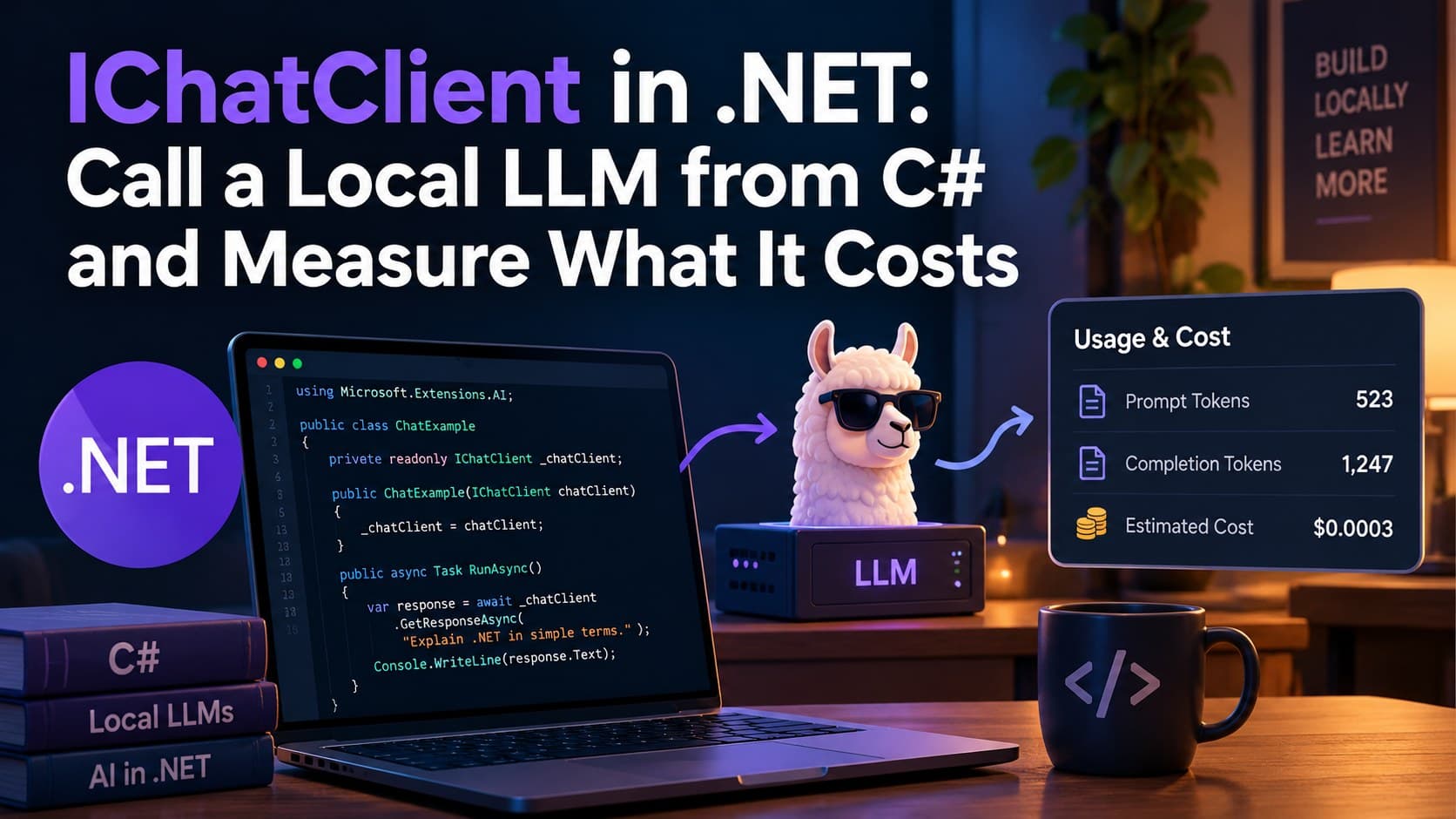
I asked a model on my own machine a one-word question. It answered with one word. That one word cost 201 output tokens and 6.9 seconds. Then I changed only the model name, and the same kind of answer cost 2 tokens and 0.10 seconds.
Both numbers came from the same C# code, written against one interface: IChatClient. This post walks through that interface from the first call to a setup you could put into a real app, and shows the measurements that changed how I write LLM code in .NET.
All numbers below are medians (p50) of five runs on my machine, after one warm-up call, with .NET 10, Ollama 0.40.3 and OllamaSharp 5.5.0. Your numbers will be different. The way to get them is the same.
What IChatClient is
IChatClient is an interface in Microsoft.Extensions.AI, a set of libraries from the .NET team. It describes one job: send messages to a model and get a response back. Your application code depends on the interface. A provider package supplies the implementation.
For a local model, the path of one question looks like this:
your .NET app → IChatClient → OllamaApiClient (OllamaSharp) → Ollama server (localhost:11434) → modelOllamaApiClient from the OllamaSharp package implements IChatClient and turns each call into an HTTP request to Ollama. The request never leaves your machine.
The first call
dotnet new console --name LocalLlm
dotnet add LocalLlm package OllamaSharp --version 5.5.0
ollama pull qwen3:4b-instruct
using Microsoft.Extensions.AI;
using OllamaSharp;
// The only line that knows about Ollama.
IChatClient client = new OllamaApiClient(
new Uri("http://localhost:11434"), "qwen3:4b-instruct");
ChatResponse response = await client.GetResponseAsync("In one sentence, what is .NET?");
Console.WriteLine(response.Text);The variable is typed as IChatClient, not OllamaApiClient. Every line after the first one only knows the interface, and that is what makes the rest of this post possible.
OllamaSharp brings Microsoft.Extensions.AI.Abstractions with it, so you don't need another package for this step. I pin the OllamaSharp version on purpose: some behavior described below depends on it.
Reading the response, not only the text
ChatResponse carries more than Text:
Console.WriteLine($"Answered by:   {response.ModelId}");
Console.WriteLine($"Finish reason: {response.FinishReason}");
Console.WriteLine($"Input tokens:  {response.Usage?.InputTokenCount}");
Console.WriteLine($"Output tokens: {response.Usage?.OutputTokenCount}");ModelIdtells you which model really answered. While I was building a demo for this topic, a check on this field caught a bug: the model name I thought I was passing never reached the client.FinishReasonisstopwhen the model finished on its own, andlengthwhen it hit a limit you set. Alengthanswer is cut off, and your app shouldn't show it as complete.- The input token count is larger than your question, because the model also receives the chat template's markers for roles and turns.
Tokens are the real cost of every answer. More output tokens means more time until the answer is finished, on your GPU or on a cloud bill.
Streaming
GetResponseAsync waits for the whole answer. GetStreamingResponseAsync gives you the pieces as the model writes them:
List<ChatResponseUpdate> updates = [];

await foreach (ChatResponseUpdate update in client.GetStreamingResponseAsync(prompt))
{
    Console.Write(update.Text);
    updates.Add(update);
}

// Join the pieces into one ChatResponse: text, model, token counts.
ChatResponse response = updates.ToChatResponse();
Streaming doesn't make the model faster: it still writes the same number of tokens. What changes is the time until the user sees the first word. ToChatResponse() joins the updates back into a normal ChatResponse, so any code that reads model, finish reason or usage keeps working.
The model has no memory
Each call starts from zero. If you send "My name is Burak" in one call and "What is my name?" in the next, the model has no way to know. Chat apps keep the history themselves and send all of it on every call:
List<ChatMessage> messages =
[
    new(ChatRole.System, "You are a friendly assistant. Answer in one short sentence.")
];

messages.Add(new ChatMessage(ChatRole.User, question));
ChatResponse response = await client.GetResponseAsync(messages);
messages.AddMessages(response);   // without this, the next turn can't see the answer
The cost is visible in Usage.InputTokenCount: it grows with every turn, because every call carries the whole conversation. A long chat is a slow chat, and on a paid provider an expensive one.
ChatOptions
ChatOptions is the same class for every provider. OllamaSharp translates it into Ollama's own settings.
var options = new ChatOptions
{
    MaxOutputTokens = 200,
    Temperature = 0,
    Seed = 42
};
MaxOutputTokens limits the length of the answer, and FinishReason tells you when the limit was hit. Temperature and Seed control randomness. A seed is the starting value of the random number generator: same seed, same settings and same input give the same choices, on the same machine and the same version.
One result surprised me. I asked "Suggest one name for a cooking app" five times with default settings and got the same name five times. When I added "built with .NET" to the question, I got five different names. ollama show explains part of it: this model ships with temperature 0.7, top_k 20 and top_p 0.8, and those filters drop unlikely candidates before temperature has any effect. When one answer is very likely, chance rarely picks another one. So a few identical answers don't prove that your settings make the model stable.
Thinking models
Back to the opening numbers. With the same prompt and the same code:
| Model | Setting | Output tokens (p50) | Time (p50) |
|---|---|---|---|
qwen3:4b |
default | 201 | 6.9 s |
qwen3:4b |
ReasoningEffort.None |
211 | 7.6 s |
qwen3:4b-instruct |
none | 2 | 0.10 s |
qwen3:4b is a thinking model. Before it writes "pong", it writes a long hidden text for itself. Microsoft.Extensions.AI keeps that text apart from the answer as TextReasoningContent, so response.Text doesn't include it:
string thinking = string.Concat(
    response.Messages
        .SelectMany(m => m.Contents)
        .OfType<TextReasoningContent>()
        .Select(r => r.Text));
The obvious fix is a setting:
var options = new ChatOptions
{
    Reasoning = new ReasoningOptions { Effort = ReasoningEffort.None }
};
OllamaSharp sends this to Ollama as think: false. With qwen3:4b, the token count didn't go down. The thinking text moved into the visible answer instead, in 5 of 5 runs, ending with a </think> tag before the real one-word reply. ollama run qwen3:4b --think=false gave the same result, so the behavior comes from the model, not from the C# code. Microsoft's documentation for ChatOptions.Reasoning says it directly: what each effort level means can differ between providers, and between models of the same provider.
If you might receive leaked thinking, check for it before you show anything to a user:
const string endOfThinking = "</think>";
bool leaked = response.Text.Contains(endOfThinking);
string realAnswer = leaked
    ? response.Text[(response.Text.LastIndexOf(endOfThinking) + endOfThinking.Length)..].Trim()
    : response.Text;
What actually fixed it was the model. Switching to qwen3:4b-instruct gave 2 tokens and no hidden text.
ollama show didn't predict this. Its Capabilities section lists tools, thinking and completion for qwen3:4b-instruct too, even though that model wrote zero thinking characters in my runs. The list tells you which settings a model accepts, not what it does by default. Only a measurement told the two models apart.
Measuring speed
The first call after loading is slow: it includes moving the model into memory and opening the connection. Measuring once tells you very little, because you don't know which of the two you got. The pattern I use:
- One warm-up call that is shown and not counted.
- Five measured runs.
- The median of the five, not the average, so one slow run caused by something in the background doesn't move the result.
One more trap: if another app on the same machine uses a different model and your GPU can't hold both, Ollama unloads one to load the other, and every call becomes a cold call again. While I was preparing this material, a background process doing exactly that made my timings meaningless until I ran ollama ps.
IChatClient in a real app
In a host-based app, you register the client once and the rest of the code asks for IChatClient:
var builder = Host.CreateApplicationBuilder(args);

builder.Services.AddDistributedMemoryCache();

builder.Services
    .AddChatClient(new OllamaApiClient(new Uri("http://localhost:11434"), "qwen3:4b-instruct"))
    .UseLogging()
    .UseDistributedCache();

using IHost host = builder.Build();
IChatClient client = host.Services.GetRequiredService<IChatClient>();
AddChatClient returns a ChatClientBuilder. Each Use... call wraps the client in another layer that is itself an IChatClient, and the first layer you add is the outermost one. Here logging sits outside the cache, so the log also sees calls that the cache answers.
These come from three packages: Microsoft.Extensions.AI for the layers, Microsoft.Extensions.Hosting for the host, and Microsoft.Extensions.Caching.Memory for AddDistributedMemoryCache. Keep Microsoft.Extensions.AI on the same version as the Microsoft.Extensions.AI.Abstractions that OllamaSharp already brought in; the two are released together.
LoggingChatClient writes at Debug level, so enable it for its category only, or the host's own messages will fill the console:
builder.Logging.AddFilter("Microsoft.Extensions.AI", LogLevel.Debug);The cache returns the saved answer when the messages and options are the same. That means repeated questions lose the randomness from Temperature. It suits an FAQ, and it's a poor fit for "give me a new idea".
Switching provider and model from settings
The model name and the address describe where the app runs, so they belong in configuration:
{
  "Chat": {
    "Provider": "Ollama",
    "Endpoint": "http://localhost:11434",
    "Model": "qwen3:4b-instruct"
  }
}
var chat = builder.Configuration.GetSection("Chat");
string provider = chat["Provider"] ?? "Ollama";
string model = chat["Model"]
?? throw new InvalidOperationException("Chat:Model is missing.");
var endpoint = new Uri(chat["Endpoint"] ?? "http://localhost:11434");
IChatClient innerClient = provider switch
{
"Ollama" => new OllamaApiClient(endpoint, model),
_ => throw new InvalidOperationException($"Unknown provider: {provider}")
};The host also reads command-line arguments, so dotnet run -- --Chat:Model=qwen3:4b switches the model for one run without touching code or the file. A cloud provider becomes one more line in the switch, through its own Microsoft.Extensions.AI package. If you add one, keep the API key out of appsettings.json and out of git: use an environment variable or user secrets.
Summary of what I'd check first
- Type your variables as
IChatClient; keep the provider in one registration line. - Read
UsageandFinishReasonon every response you care about. - Run
ollama showand write down the model ID, then measure the model with your real prompts before you trust its behavior. - Warm up, run five times, take the median.