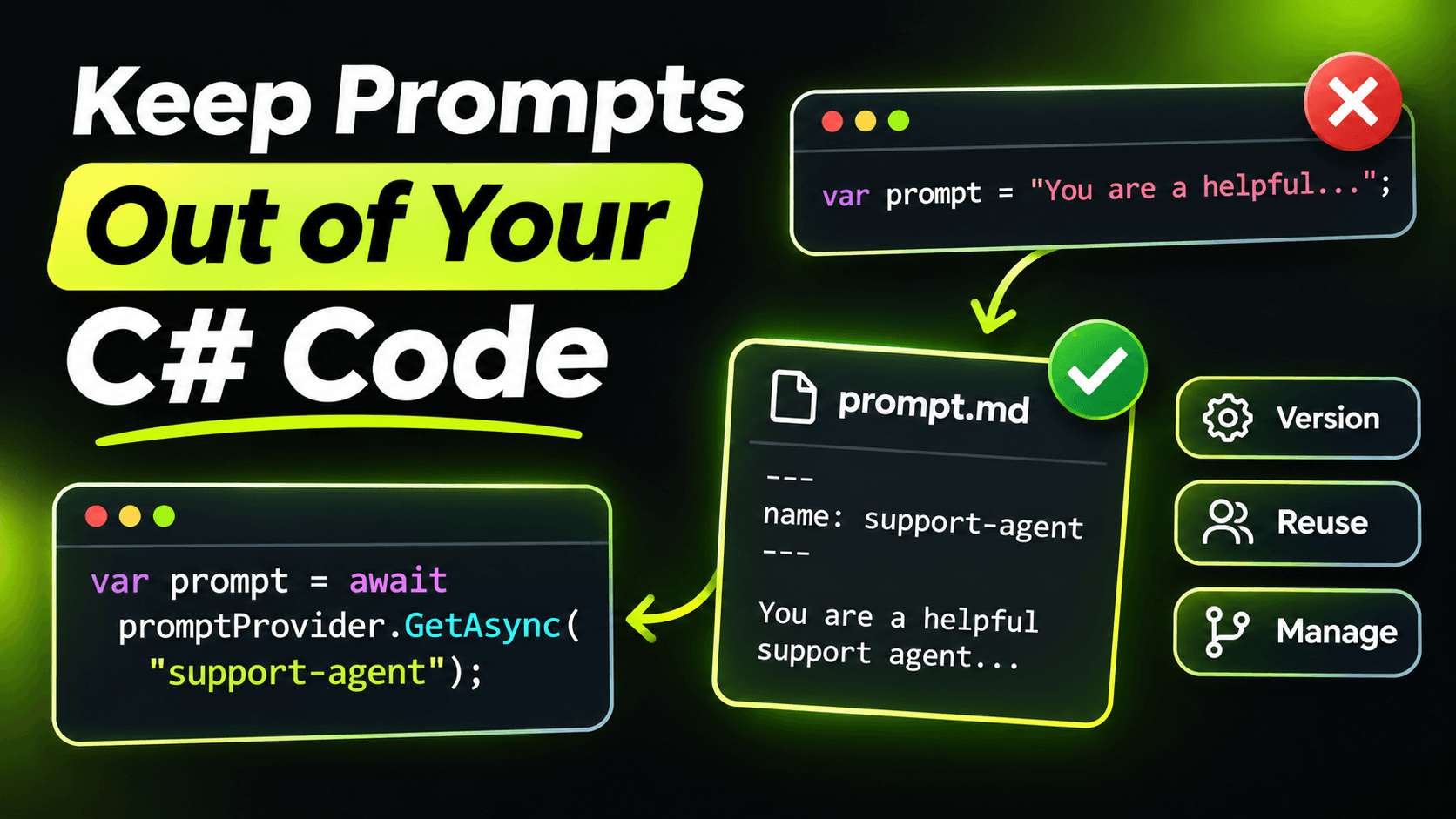
Open any LLM project that's a few months old and search for $""". You'll find prompts. Big ones, spread across services, with user data interpolated into the middle of the instructions. Someone changed one of them last week. Nobody remembers which, and now the extraction quality is worse.
Prompts are not strings. They're behaviour. They deserve the same treatment as the rest of your configuration: their own files, readable diffs, and a version you can see in your logs.
Put prompts in files
I keep them in a Prompts folder, one Markdown file per prompt:
Prompts/
  extract-job.md
  classify-posting.md
  career-answer.md
And copy them to the output folder in the csproj:
<ItemGroup>
  <None Update="Prompts\**\*.md" CopyToOutputDirectory="PreserveNewest" />
</ItemGroup>
A prompt file is plain text with placeholders:
You extract structured data from job postings.
Today's date is {{today}}. Use it to resolve relative dates like "starting next month".

Rules:
- If the text does not state a value, leave it null.
- Never infer visa sponsorship from company size or location.
- If the text is not a job posting, set IsJobPosting to false and leave the rest empty.
The first benefit shows up in code review. A prompt change is now a diff in a Markdown file, not a diff inside a C# string with escaped quotes. Reviewers actually read it.
A tiny prompt store
You don't need a framework for this. Forty lines will do:
using System.Collections.Concurrent;
using System.Security.Cryptography;
using System.Text;
using System.Text.RegularExpressions;

public sealed record Prompt(string Name, string Version, string Text);

public sealed partial class PromptStore(string root)
{
    private readonly ConcurrentDictionary<string, Prompt> _cache = new();

    public Prompt Get(string name) => _cache.GetOrAdd(name, n =>
    {
        var text = File.ReadAllText(Path.Combine(root, $"{n}.md"));
        var hash = Convert.ToHexString(SHA256.HashData(Encoding.UTF8.GetBytes(text)))[..8];
        return new Prompt(n, hash, text);
    });

    public string Render(Prompt prompt, IReadOnlyDictionary<string, string> values) =>
        Placeholder().Replace(prompt.Text, m =>
            values.TryGetValue(m.Groups[1].Value, out var value)
                ? value
                : throw new InvalidOperationException(
                    $"Prompt '{prompt.Name}' needs a value for '{m.Groups[1].Value}'."));

    [GeneratedRegex(@"\{\{(\w+)\}\}")]
    private static partial Regex Placeholder();
}
Two decisions in there are worth explaining.
The version is a hash of the content. I tried manual version numbers first. People forget to bump them, and then two different prompts share a version, which is worse than no version at all. A hash can't be forgotten. Change one character and the version changes.
A missing value throws. If the template says {{today}} and the caller doesn't provide it, you want an exception during development, not a prompt that literally contains {{today}} in production. Models are polite about weird input. They'll work around a broken placeholder without telling you.
Instructions and data go in separate messages
Here's how a call looks with the store:
var prompt = prompts.Get("extract-job");
var instructions = prompts.Render(prompt, new Dictionary<string, string>
{
    ["today"] = DateTime.UtcNow.ToString("yyyy-MM-dd")
});

List<ChatMessage> messages =
[
    new(ChatRole.System, instructions),
    new(ChatRole.User, raw)
];

using (logger.BeginScope(new Dictionary<string, object>
{
    ["Prompt"] = prompt.Name,
    ["PromptVersion"] = prompt.Version
}))
{
    var response = await chat.GetResponseAsync<JobPosting>(messages);
    // ...
}
Notice the job posting text never goes into the template. Instructions are the system message; the user's data is the user message. Placeholders are only for values you control, like today's date. This keeps your prompt file readable, keeps your hash stable across inputs, and makes it a lot harder for text inside a job posting to pretend it's one of your rules. We'll come back to that last point later in the series.
Log the version with every call
The logging scope is the part that pays off months later. With the logging middleware from the second post in this series, every model call now carries the prompt name and version. When someone reports "the extractions got worse on Tuesday", you can filter by PromptVersion and see exactly which prompt was running before and after.
Do the same in your evals. When you run your test set, store the prompt version next to the score. Then "is the new prompt better?" becomes a comparison between two rows, not an argument.
What about editing prompts without a deploy?
Some teams load prompts from a database so they can change them live. It's tempting. I'd hold off. A prompt change can break your output as badly as a code change, and right now a deploy is your review step: a pull request, a diff, a test run. Move prompts to a database when you have evals that run automatically on every change. Until then, the file and the pull request are the safety net.
Summary
Prompts in files, a hash as the version, instructions separate from user data, and the version in every log line. None of it is clever. All of it is the kind of thing you wish you'd done the first time a prompt change quietly made your app worse.
Want the full build? Build MCP Servers in C#: Connect AI to Your .NET Apps shows you how to give AI access to your own .NET apps with an MCP server. Or get the weekly tips by email: /newsletter.