Here's a test I run on every extraction prompt: I give it text that doesn't contain the answer. A job posting with no word about visas. A support email with no order number. Then I look at what comes back.
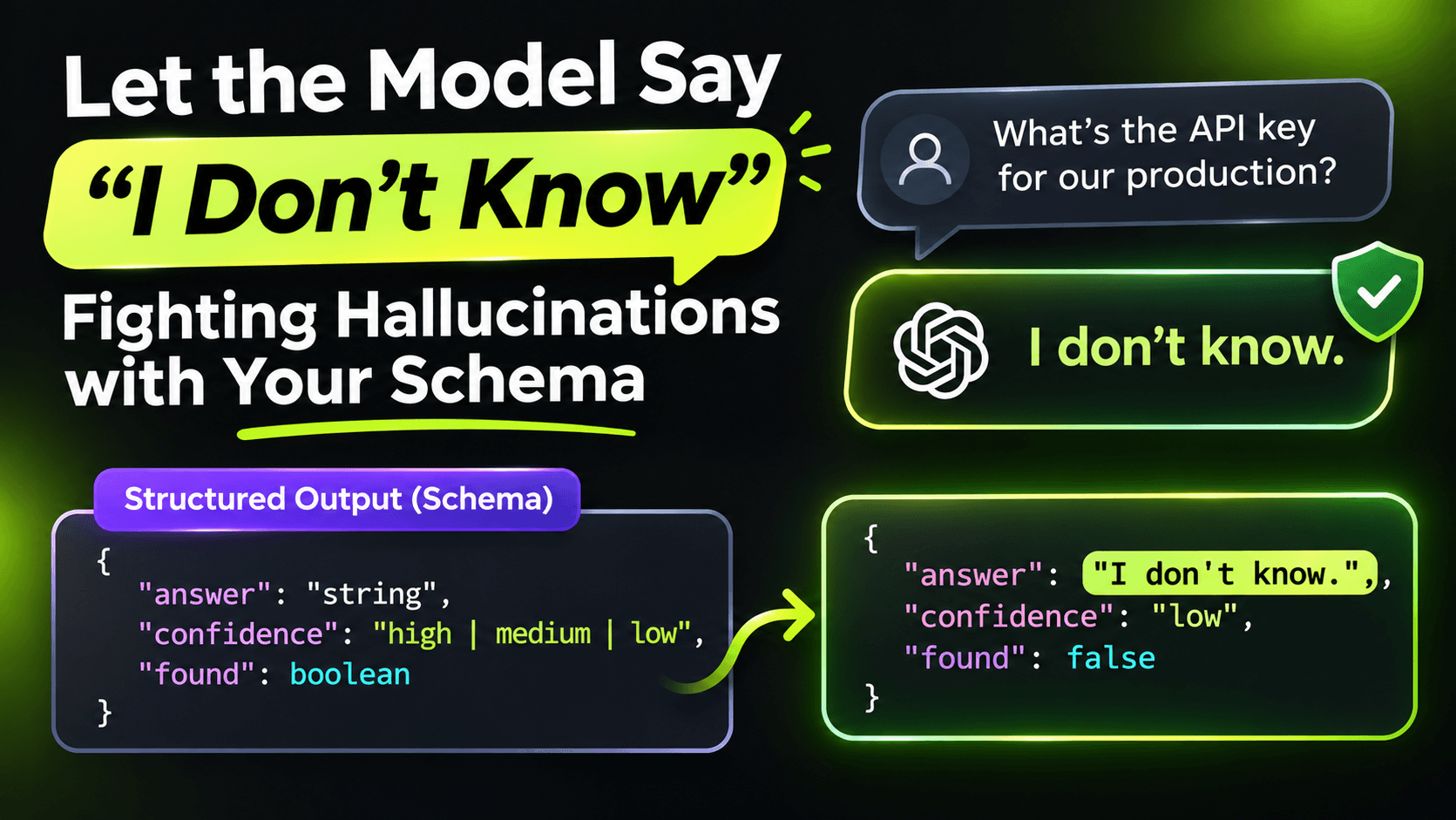
Most of the time, something comes back anyway. The model fills the field, because the field is there and the type says it must be filled. That's not the model being broken. That's the schema asking it to guess.
In the first post in this series I mentioned making fields nullable. This post goes further: how to design your types so "I don't know" is easy to say, and how to check the answers that claim to know.
1. Make "unknown" a real value
Nullable properties are the start. Enums need the same treatment:
public enum WorkModel { Unknown, Onsite, Hybrid, Remote }Unknown is first on purpose. It's the default value, so if anything goes wrong on the way to your object, you end up with Unknown rather than a confident Onsite nobody said.
2. Allow the input to be wrong
What happens if someone pastes a cookie banner into your job importer? If your type only describes a job posting, the model will produce a job posting. It will invent one from a cookie banner.
Give it a way out:
public record JobPosting(
    [property: Description("False if the text is not a job posting at all.")]
    bool IsJobPosting,

    string? Title,
    string? Company,
    WorkModel WorkModel,

    [property: Description("Null unless the text explicitly says whether visa sponsorship is offered.")]
    bool? VisaSponsorship,

    [property: Description("The exact sentence from the text that states the visa sponsorship. Null if VisaSponsorship is null.")]
    string? VisaSponsorshipQuote);
Notice the Description attributes. Microsoft.Extensions.AI puts them into the JSON schema it sends to the model, so the rules live right next to the fields they describe. Your prompt gets shorter, and the rules can't drift away from the type when someone refactors. The property: target matters on a positional record: it puts the attribute on the property, which is where the schema generator looks.
3. Ask for evidence, then check it
The most useful trick on this list is that last property. For any field where a wrong answer actually hurts, ask the model for the exact sentence it based its answer on. Then verify that sentence in plain C#:
static bool QuoteExists(string source, string? quote) =>
    !string.IsNullOrWhiteSpace(quote) &&
    Normalize(source).Contains(Normalize(quote), StringComparison.OrdinalIgnoreCase);

static string Normalize(string text) =>
    string.Join(' ', text.Split((char[]?)null, StringSplitOptions.RemoveEmptyEntries));
And use it right after extraction:
if (response.TryGetResult(out var job))
{
    if (job.VisaSponsorship is not null && !QuoteExists(raw, job.VisaSponsorshipQuote))
    {
        logger.LogWarning("Visa answer without matching evidence, discarding it.");
        job = job with { VisaSponsorship = null, VisaSponsorshipQuote = null };
    }
}
This catches a whole class of hallucinations with zero extra model calls. A model that invents an answer usually has to invent the quote too, and an invented quote doesn't appear in the source. The check is a string search, it runs in microseconds, and it's deterministic, which is more than you can say for asking a second model "are you sure?".
It's not perfect. A real quote can still be interpreted wrongly: "We don't offer sponsorship" is a real sentence, and a careless model could still mark it as true. But you've moved from "trust the model" to "trust the model only when it can point at the text", and that's a big step.
4. Don't ask for confidence scores
It's tempting to add a Confidence field from 0 to 1. I've stopped doing that. A self-reported confidence is just another generated number, and in my tests it's high almost all the time, including on the wrong answers. Evidence you can check beats a number you can't.
5. Measure both kinds of mistakes
Once "unknown" is allowed, you have two different errors to track:
- Made-up answers: the field has a value, but the text never said it. This is the dangerous one.
- Missed answers: the field is null, but the text did say it. Annoying, but safe.
Tightening your prompt and schema usually trades the first for the second. That's often the right trade, but you should see it happening. Keep a small set of real inputs with known answers, including a few where the answer is missing on purpose, and count both errors every time you change the prompt or the model. As we saw in the previous post, a model switch can move these numbers a lot.
The short version
A model fills whatever space you give it. So give it a legal way to say "not stated", a legal way to say "this isn't even the right kind of input", and for the fields that matter, make it show its work. Then check the work in code.
Want the full build? Build MCP Servers in C#: Connect AI to Your .NET Apps shows you how to give AI access to your own .NET apps with an MCP server. Or get the weekly tips by email: /newsletter.