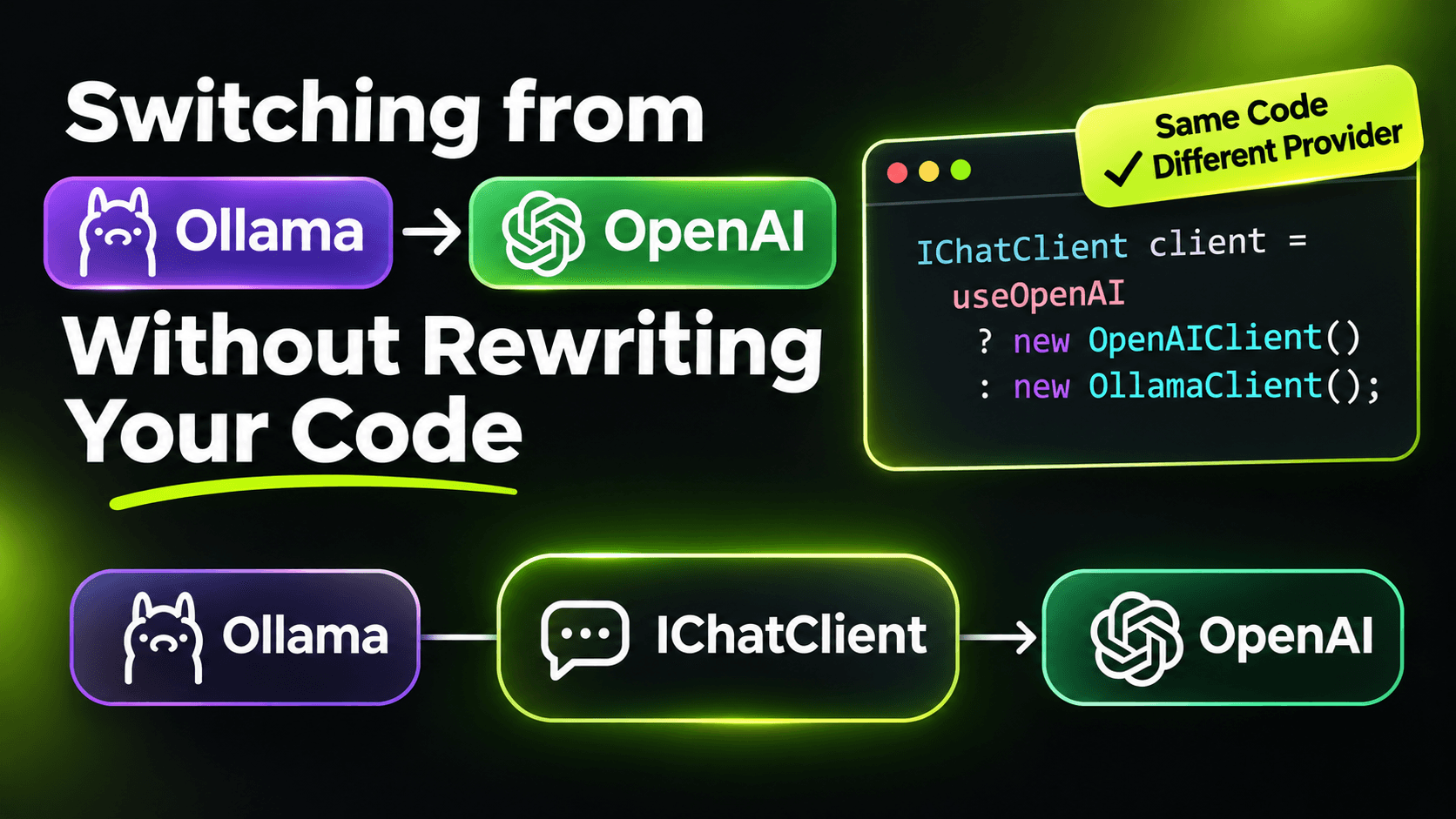
I build everything against a local model first. Ollama on my laptop costs nothing, works on a train, and doesn't send half-finished prompts to anyone. But sometimes production needs a hosted model, and I don't want "switching providers" to mean touching every class that talks to an LLM.
Because everything in the previous post goes through IChatClient, it doesn't have to.
Pick the provider in config, not in code
Here's the registration. The rest of the app only ever sees IChatClient:
using Microsoft.Extensions.AI;
using OllamaSharp;

var builder = WebApplication.CreateBuilder(args);

builder.Services.AddChatClient(sp =>
{
    var llm = sp.GetRequiredService<IConfiguration>().GetSection("Llm");
    var model = llm["Model"]!;

    return llm["Provider"] switch
    {
        "ollama" => (IChatClient)new OllamaApiClient(new Uri(llm["Endpoint"]!), model),
        "openai" => new OpenAI.Chat.ChatClient(model, llm["ApiKey"]!).AsIChatClient(),
        var p => throw new InvalidOperationException($"Unknown LLM provider: {p}")
    };
})
.UseFunctionInvocation()
.UseLogging();
appsettings.Development.json:
{
  "Llm": {
    "Provider": "ollama",
    "Endpoint": "http://localhost:11434",
    "Model": "llama3.2"
  }
}
In production, the same section says "Provider": "openai" and a model name, and the API key comes from user secrets or your secret store, never from the JSON file. The middleware we added in the previous post (tool calling, logging, caching) wraps whichever client comes out of that switch.
A shortcut: one SDK for both
Ollama also exposes an OpenAI-compatible endpoint. So another option is to use the OpenAI SDK everywhere and only change the URL:
using System.ClientModel;
using Microsoft.Extensions.AI;
using OpenAI;

var openAi = new OpenAIClient(
    new ApiKeyCredential("ollama"), // Ollama ignores the key, but the SDK requires one
    new OpenAIClientOptions { Endpoint = new Uri("http://localhost:11434/v1") });

IChatClient client = openAi.GetChatClient("llama3.2").AsIChatClient();
This is handy for quick experiments. For real projects I still prefer the config switch above, because the native Ollama client exposes Ollama-specific options when I need them, and compatibility layers rarely cover every feature.
What the code doesn't show
Here's the honest part. The code switch is one line. The behaviour switch isn't.
Tool calling reliability changes. A small local model and a large hosted one get the same tool definitions, but they don't use them equally well. The small model may skip the tool, call it with a made-up argument, or call it twice. Same code, different results.
Structured output changes. Remember useNativeJsonSchema from the first post in this series? Whether native schema support exists depends on the provider and the model. An extraction that was rock solid on one side can start failing TryGetResult on the other, or the reverse.
Prompts don't transfer perfectly. A prompt tuned for one model is tuned for that model. Wording that a hosted model follows easily may need to be more explicit for a smaller one.
Limits and cost change. Context window size, rate limits and price per token are all different. A prompt that fit fine locally might be expensive at scale, or too long for the model you switch to.
So "switching providers" really means: switch the config, then run your eval set again. If you don't have one, that's the first thing to build before any switch. A handful of real inputs with known good outputs is enough to see whether the new model breaks something.
Bonus: use both at the same time
You don't have to pick one. With keyed services, a cheap local model can handle simple classification while a stronger model writes the answers users actually read:
builder.Services.AddKeyedChatClient("local",
    new OllamaApiClient(new Uri("http://localhost:11434"), "llama3.2"));

builder.Services.AddKeyedChatClient("cloud",
    sp => new OpenAI.Chat.ChatClient("gpt-4o-mini", builder.Configuration["Llm:ApiKey"]!).AsIChatClient())
    .UseFunctionInvocation();

app.MapPost("/classify", async ([FromKeyedServices("local")] IChatClient chat, string text) =>
    (await chat.GetResponseAsync($"Is this a job posting? Answer yes or no.\n\n{text}")).Text);
Each keyed client gets its own pipeline, so the cloud one can have tool calling while the local one stays minimal.
The takeaway
Abstractions make switching cheap. They don't make it free. Keep the provider in config, keep your business code on IChatClient, and treat every model change like a dependency upgrade: measure before and after.
Want the full build? Build MCP Servers in C#: Connect AI to Your .NET Apps shows you how to give AI access to your own .NET apps with an MCP server. Or get the weekly tips by email: /newsletter.