Almost every MCP server I see is made only of tools. That's understandable: tools are the primitive every client supports and every tutorial starts with. But MCP has two more, resources and prompts, and they exist for a reason.
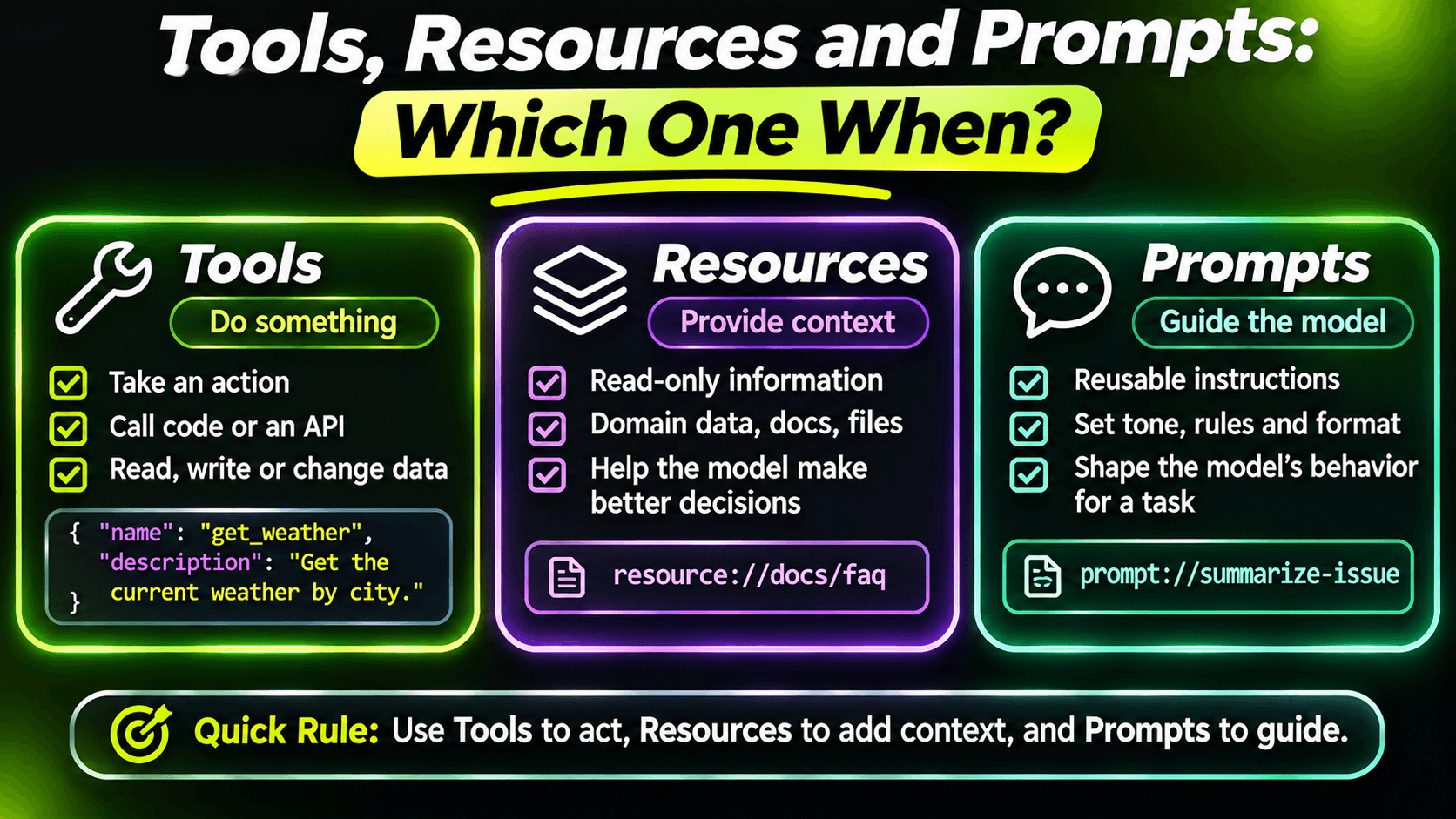
The usual explanation is "tools do things, resources are data, prompts are templates". That's true, but it doesn't help you decide. The more useful question is: who decides when it gets used?
Tools: the model decides
A tool is called when the model thinks it's needed. The user asks "is the printer issue fixed?", the model reads the tool list, and it decides to call search_tickets. Nobody clicked anything.
That's why everything in the seventh and eighth posts was about descriptions and tool design. With tools, the model is the one choosing, so the descriptions are what steer it.
Use a tool when the model should be able to get or change something on its own, in the middle of a conversation, without the user pointing at it.
Resources: the user or the app decides
A resource is data with a URI. The client lists what's available, and the user (or the client app itself) chooses what to put into the conversation. Think of attaching a file to a chat: the model doesn't go looking for it, someone hands it over.
In a support desk, knowledge base articles fit this well. A support agent working on a ticket picks the relevant article and attaches it:
[McpServerResourceType]
public sealed class KnowledgeBaseResources(KnowledgeBase kb)
{
    [McpServerResource(
        UriTemplate = "kb://articles/{slug}",
        Name = "kb_article",
        MimeType = "text/markdown")]
    [Description("A knowledge base article that describes a known problem and how to fix it.")]
    public Task<string> GetArticle(string slug) => kb.GetMarkdownAsync(slug);
}
The {slug} in the URI template becomes the method parameter. Constructor injection works the same way as with tool classes.
Use a resource for reference material that a person picks deliberately: documents, policies, configuration, a record they're looking at. It keeps the user in control of what the model sees, which is often exactly what you want.
Prompts: the user picks them by name
A prompt is a reusable starting point that the user chooses explicitly. Many clients show them as slash commands or in a menu. The user picks "triage_ticket", fills in a ticket number, and the client inserts the prepared message into the conversation:
[McpServerPromptType]
public sealed class SupportPrompts
{
    [McpServerPrompt(Name = "triage_ticket")]
    [Description("Triage a ticket: summarize it, find related tickets and suggest a next step.")]
    public static ChatMessage TriageTicket(
        [Description("The ticket number in the format SD-1234.")]
        string ticketNumber) =>
        new(ChatRole.User, $"""
            Triage support ticket {ticketNumber}.
            1. Use get_ticket to read it.
            2. Use search_tickets to find similar open or recently resolved tickets.
            3. Summarize the problem in two sentences, list the related tickets, and suggest one next step.
            Do not resolve or reply to the ticket.
            """);
}
This is where prompts shine: a workflow your team repeats, written once by someone who knows the tools well, and run by anyone with one click. The prompt even names the tools to use and sets a boundary ("do not resolve"). Every support agent gets the same careful triage, not whatever they happened to type that day.
Use a prompt for repeatable tasks that a person starts on purpose.
Registering all three
They live side by side on the same server:
builder.Services
    .AddMcpServer()
    .WithStdioServerTransport()
    .WithTools<TicketReadTools>()
    .WithResources<KnowledgeBaseResources>()
    .WithPrompts<SupportPrompts>();
The catch: client support
Here's the practical part nobody likes to say. Every MCP client supports tools. Support for resources and prompts is less even. Some clients show them nicely, some show them in a corner nobody finds, some ignore them.
So before you design around resources and prompts, check the clients your users actually use. And if a piece of data must be reachable by the model on its own, don't rely on a resource alone. It's fine to offer both:
[McpServerTool(Name = "search_kb", ReadOnly = true)]
[Description("""
    Searches knowledge base articles by keywords and returns the best matches with their full text.
    Use this when a ticket might match a known problem.
    """)]
public Task<IReadOnlyList<KbArticle>> SearchKb(
    [Description("Keywords describing the problem, e.g. 'vpn disconnects every hour'.")]
    string query)
    => kb.SearchAsync(query, take: 3);
The resource is for the user who knows which article they want. The tool is for the model that has to find one. Same data, two entry points, different decision makers.
A quick way to decide
- The model should fetch or change it on its own → tool.
- A person chooses it as context → resource.
- A person starts a known workflow → prompt.
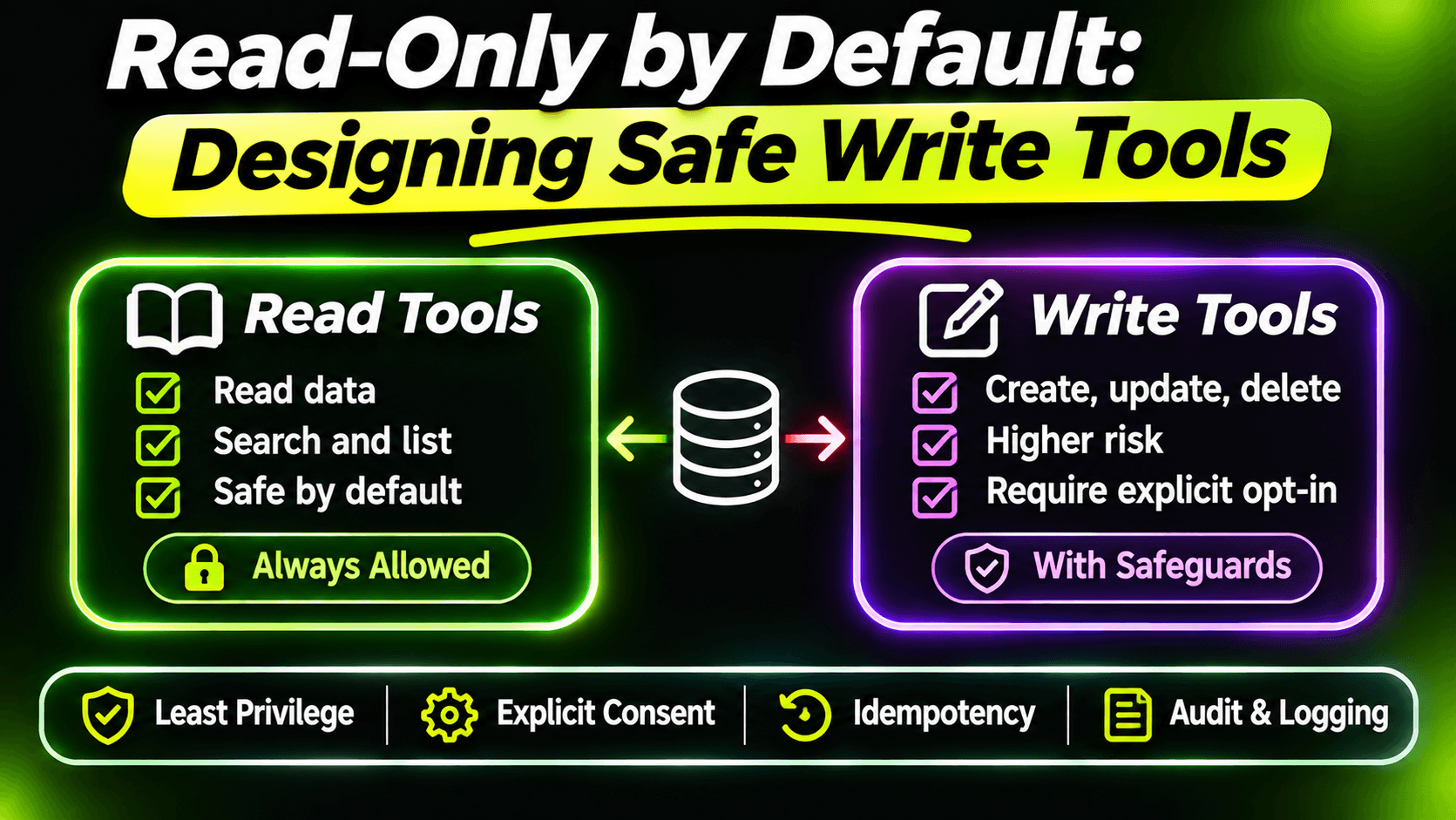
- Not sure, or your clients don't support the other two well → tool, and keep it read-only if it only reads.
Getting this right isn't about following the spec closely. It's about putting each decision in the right hands: the model, the user, or the app.
Want the full build? Build MCP Servers in C#: Connect AI to Your .NET Apps shows you how to give AI access to your own .NET apps with an MCP server. Or get the weekly tips by email: /newsletter.